
> Home > How It Works > Product Tour

Product tour

Your business rules.
Your team in control.

Follow the journey from business setup to a useful call summary. We help you configure the service during your assisted trial.

01

The information behind each answer

Services, opening hours, service areas and approved business information guide the conversation.

Product view
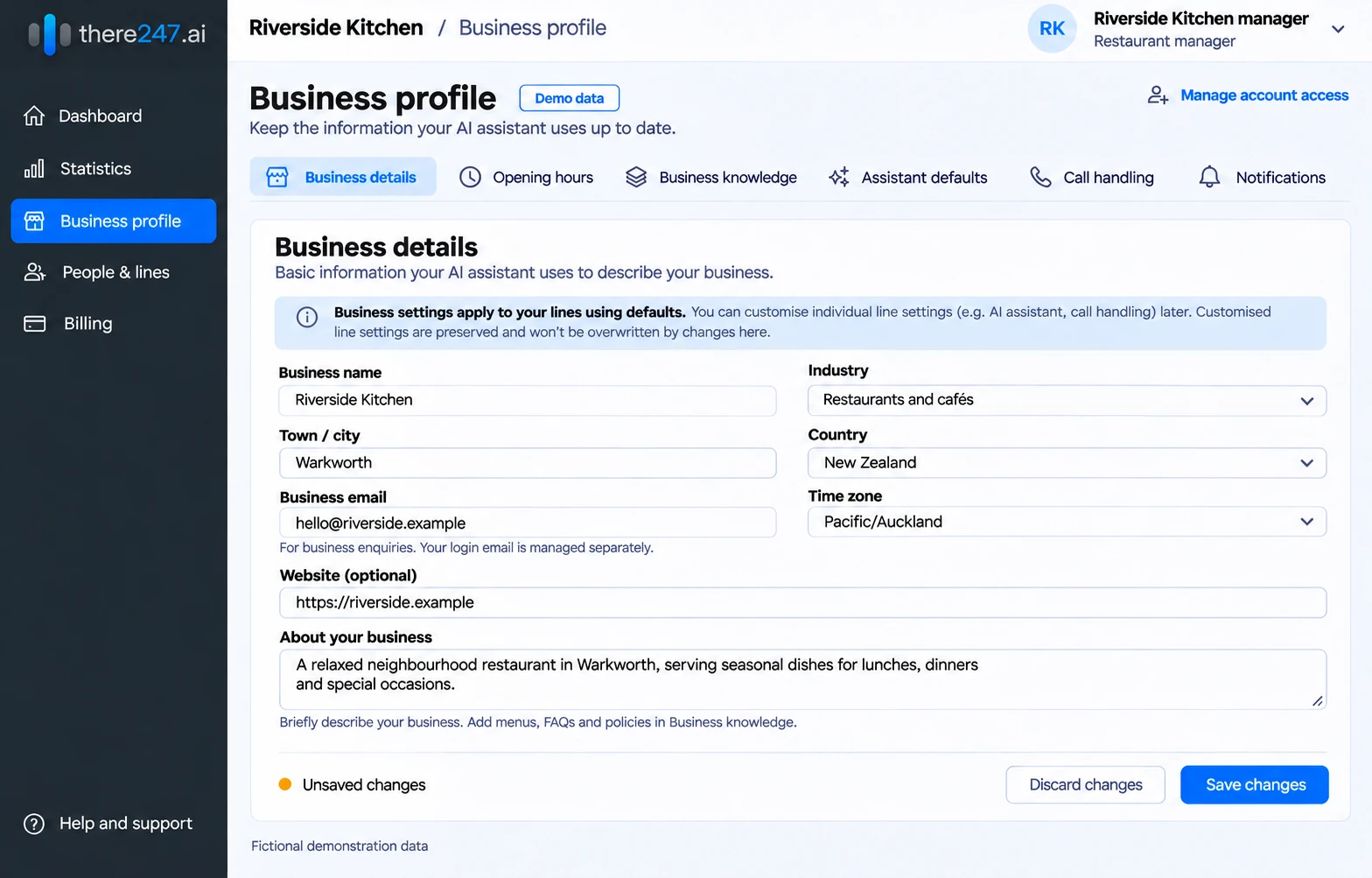
There247 business profile showing business details and tabs for opening hours, knowledge and assistant settings.
Services, opening hours, service areas and approved business information guide the conversation. View larger (opens in a new tab) Illustrative dashboard with fictional sample data.

02

A greeting and handoff that fit your business

Agree how Sofie introduces herself, who should receive enquiries and what happens if nobody is available.

Product view
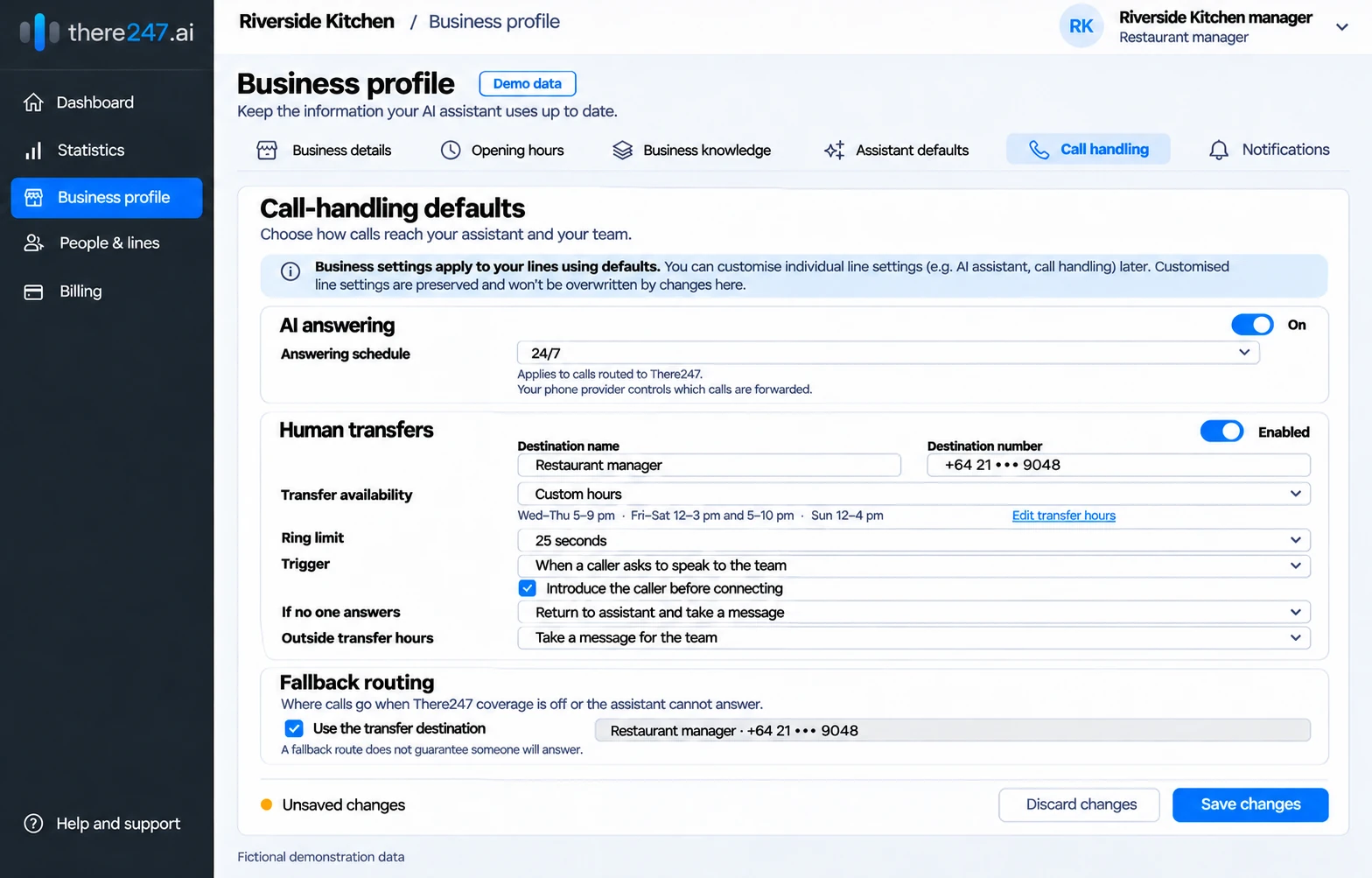
There247 call-handling settings showing AI answering, human transfers and fallback routing.
Agree how Sofie introduces herself, who should receive enquiries and what happens if nobody is available. View larger (opens in a new tab) Illustrative dashboard with fictional sample data.

03

See recent calls in one place

Find recent conversations and open the captured enquiry details.

Product view
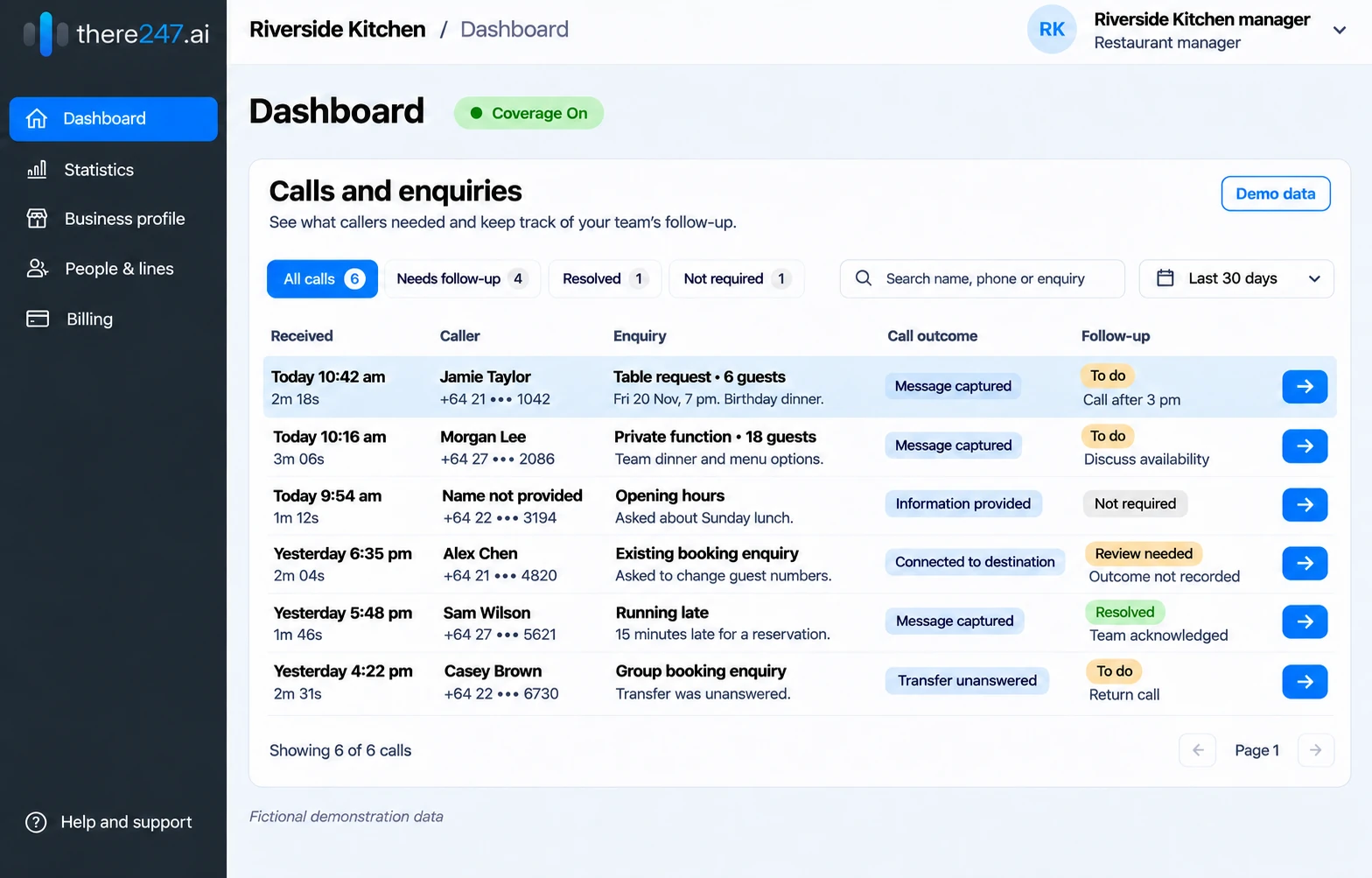
There247 dashboard showing recent calls, enquiry summaries, call outcomes and follow-up status.
Find recent conversations and open the captured enquiry details. View larger (opens in a new tab) Illustrative dashboard with fictional sample data.

04

Understand what the caller needs

Review the request and callback details so the right person can follow up.

Product view
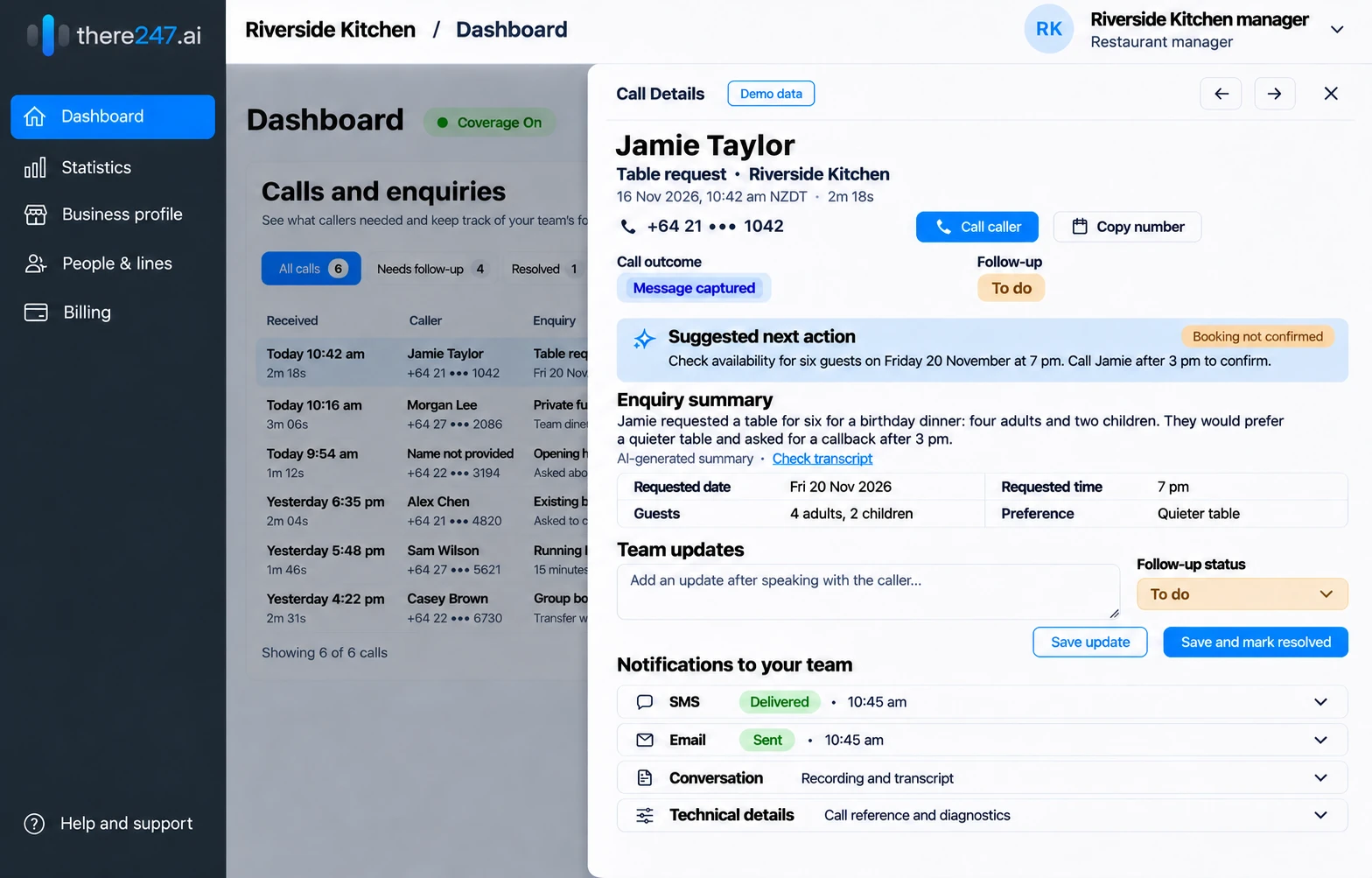
There247 call details showing a table request, suggested next action and team follow-up.
Review the request and callback details so the right person can follow up. View larger (opens in a new tab) Illustrative dashboard with fictional sample data.

05

Get enquiries to the right place

Set the recipients for the notifications included in your plan, with our help during setup.

Product view
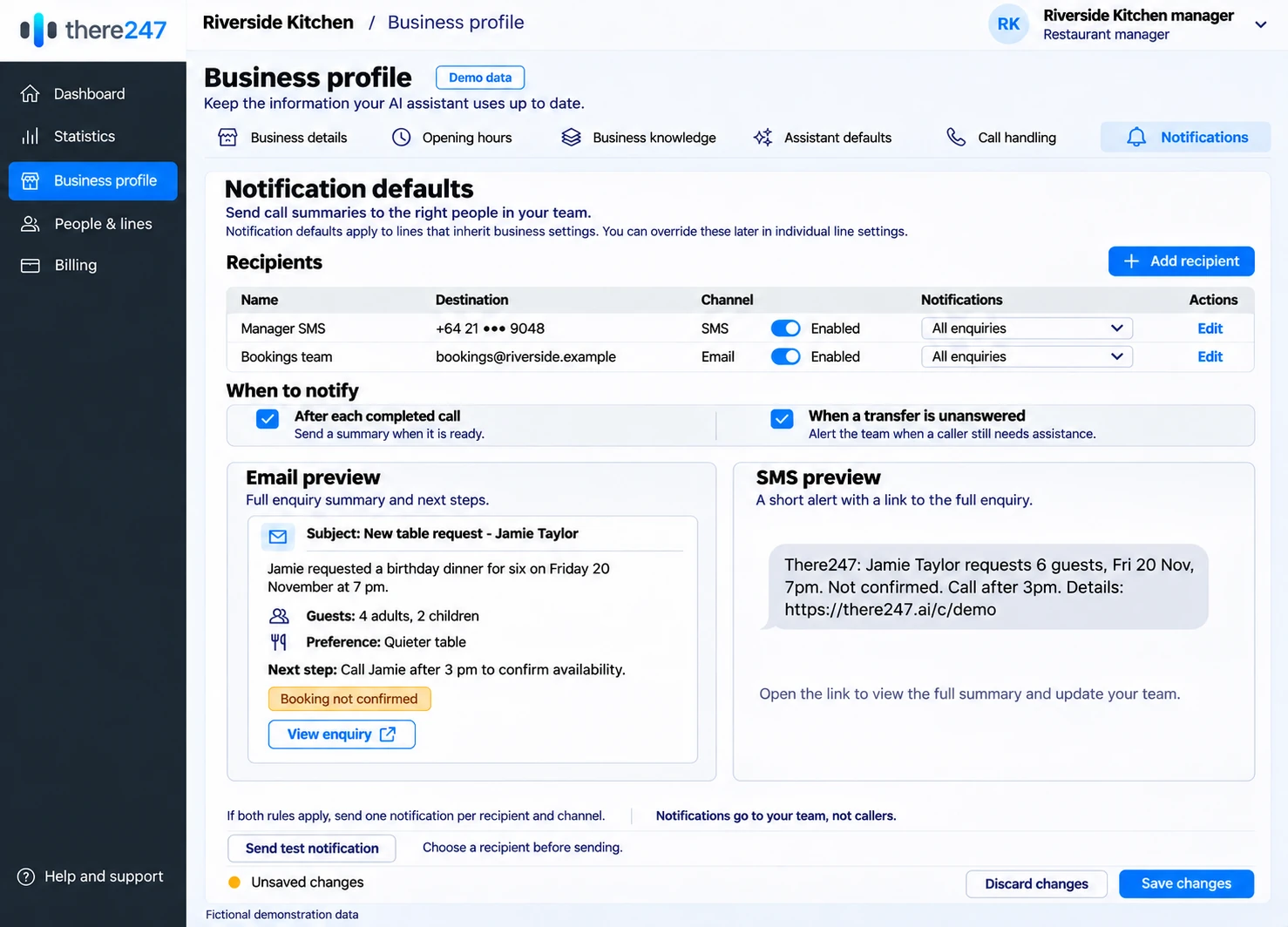
There247 notification settings with recipients and side-by-side email and SMS previews.
Set the recipients for the notifications included in your plan, with our help during setup. View larger (opens in a new tab) Illustrative dashboard with fictional sample data.

Business knowledge

The knowledge behind the answers

Bring together approved service guides, product catalogues, branch information and policies. Keep time-sensitive details current so Sofie can explain what the information supports.

Product view
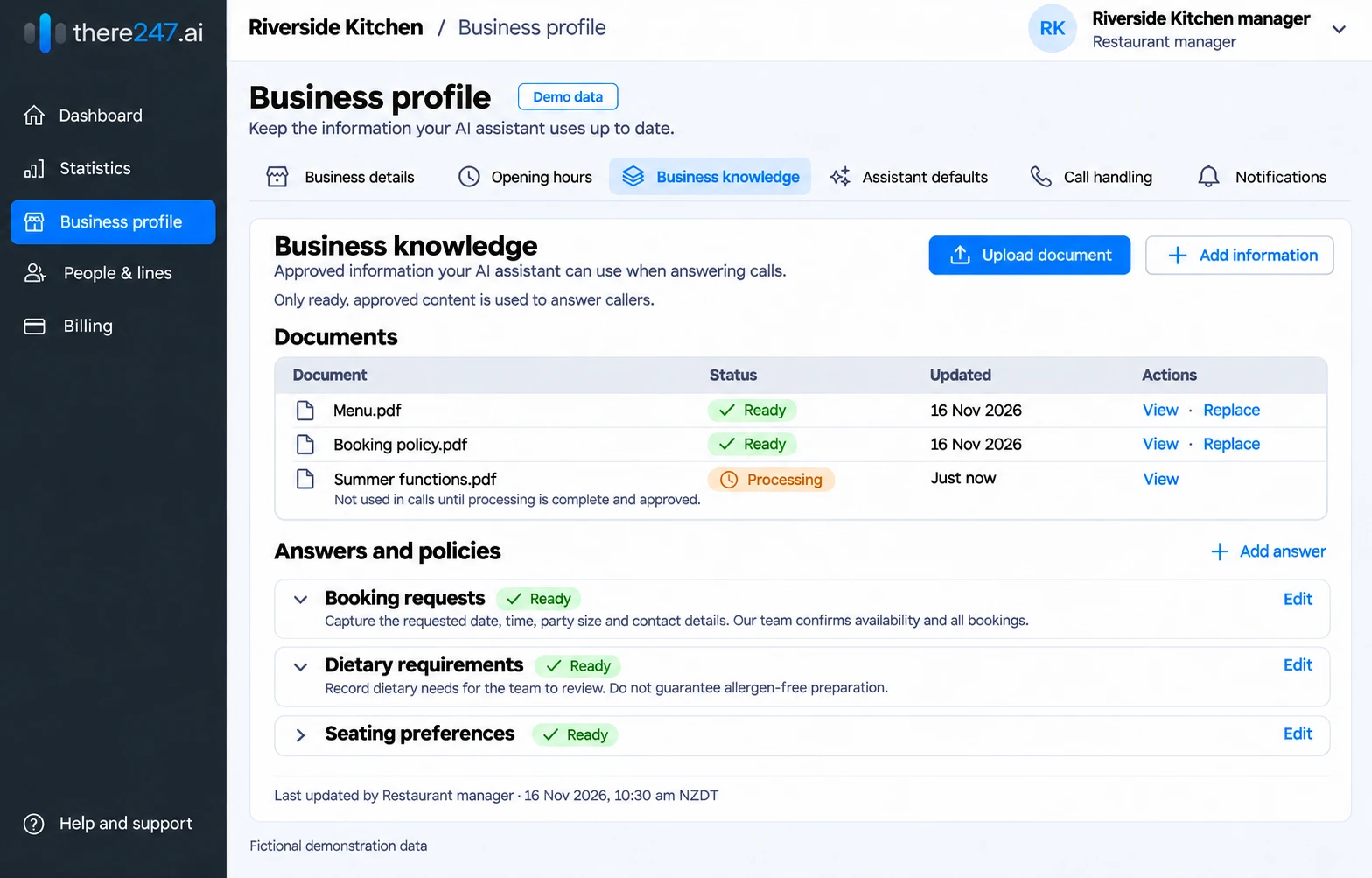
There247 business knowledge showing approved documents, answers and policies.
Approved sources used to inform your business conversations. View larger (opens in a new tab) Illustrative dashboard with fictional sample data.

See it with your own call scenarios

Bring a typical enquiry, a difficult question and a call that should reach a person. We will use them to test your setup together.

Top